

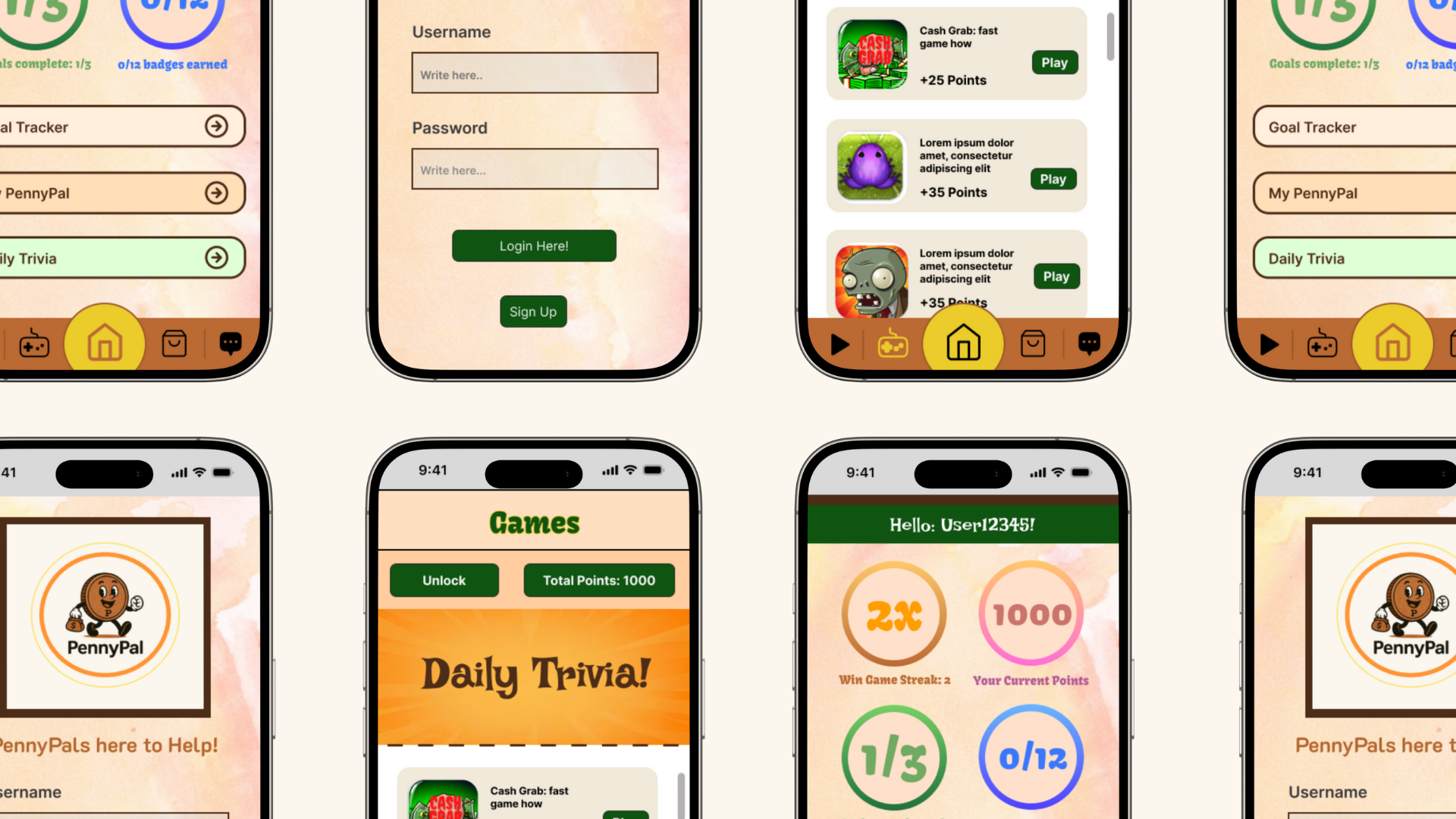
PennyPal App
Timeline: 7 weeks, May 2025 - June 2025
Tools: Figma, Canva, Pinterest and Moral
Role: Product Designer and UX Designer
Executive Summary
Finances are extremely hard to manage for Gen Z. With many of them entering adulthood, they need an app that will help them manage and learn about their finances. As a result of team of 5 wonderful designers, we welcome to people to the PennyPal App, your own financial helper!
Background
Over a 7 week design sprint, my team worked together to bring an app that was beneficial to Gen Z and brought the world of finances in a fun and unique way. We set up a series of goals to help organize what we all want out of the app: PennyPal.
My group consisted of 5 people: Kyle Adams, Chloe Levy, Andrea Domingos (me), Dylan Tse, and Nick Pagonis. We were known as the Blue Team.
Over those 7 weeks, we would construct a series of phases that would help reach our goal of creating PennyPal in a timely fashion.

Problem Statement
“A person categorized in Generation Z (Ages 13-28) should use the educational smartphone app PennyPal to teach his/herself the ins and outs of financial literacy, as well as formulate a long-term budgeting, saving, and or investing plan”.
With this problem statement, we hoped to:
Teach financial literacy skills, which allow for approaching situations like financial planning, budgeting, investing, and long-term money management.
Assist Gen Z by making a mobile-first experience that informs their financial choices in alignment with their personal and career objectives.
Establish areas where users can interact and discuss their goals in a friendly environment.
Offer users the opportunity to accrue points for redemption to acquire actual discounts in the real world.
Weekly Meetings
As stated before, each week was dedicated to a different phase in our plan. For this reason, our team decided to create weekly Moral reports about the content we were producing all in great length. Below, there will be summarized versions but if you want to see more, I recommend looking at the final paper our team did.
Phase 1: Sketch and Practice
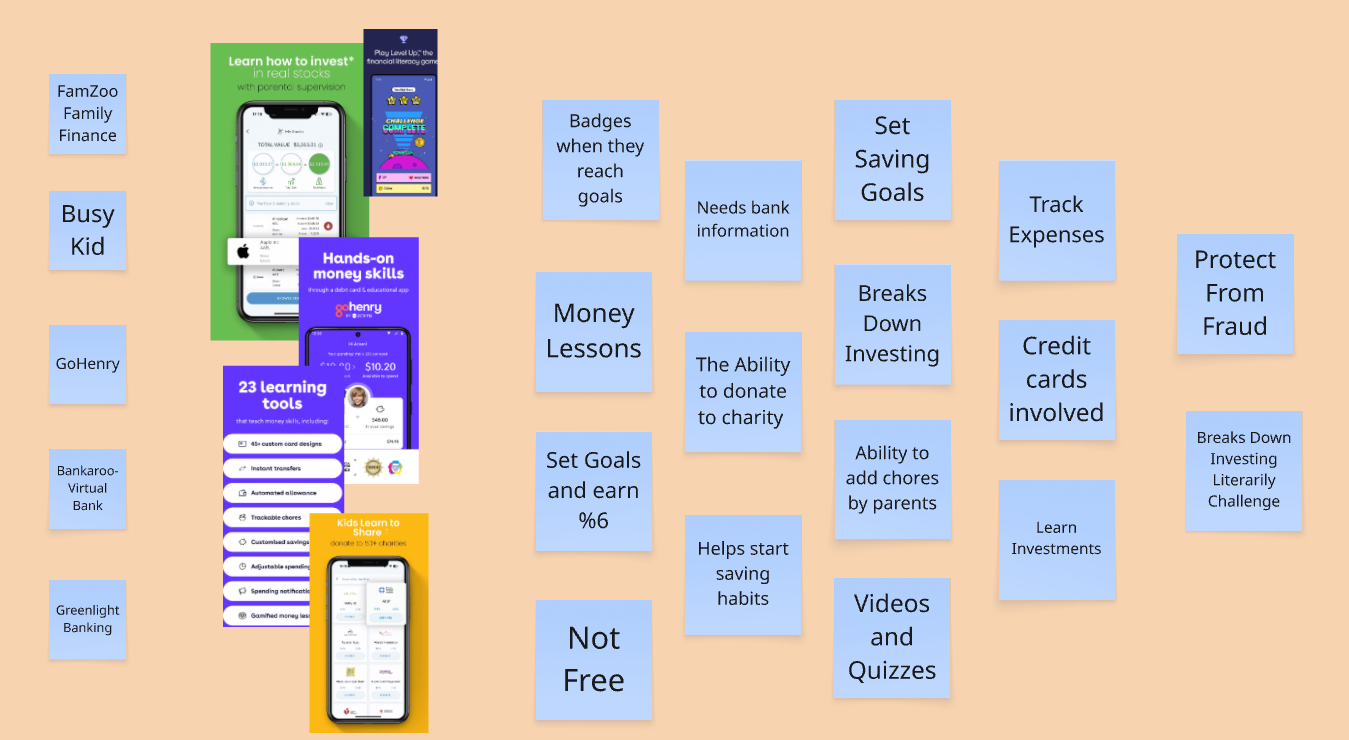
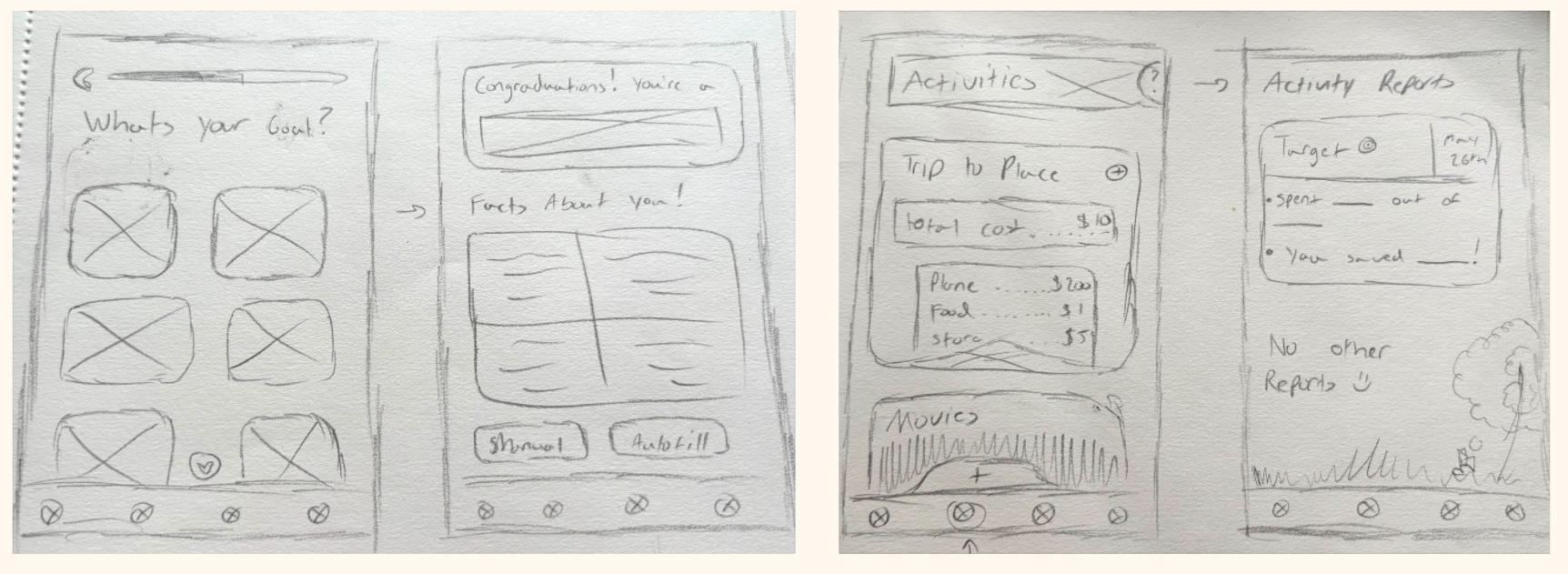
Phase 1 activities consisted our map of the app, lighting demos and our 4-step-sketches. First, our user map. It allowed for us to see how a user would travel through out PennyPal.
After we laid out our map, it was time to for the lighting demos. Each group member picked out an app we found interesting and would explain the features we liked the most and could possibly incorporate into PennyPal.
Lastly, we focused on our 4-solution-sketches. Each group did their own and it allowed us to see all the different ideas that each group member had. It would also beneficial later as they would step up as the sketches to be voted on in the next phase.
Phase 2: Storyboard
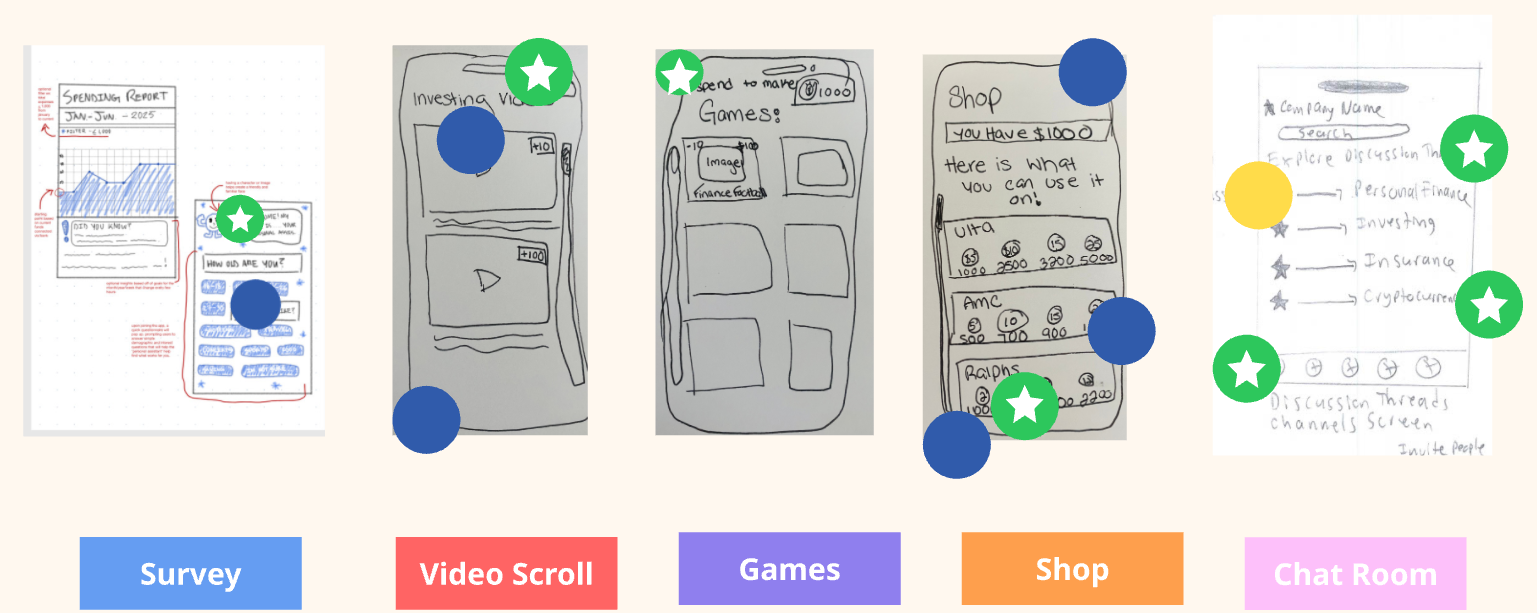
Phase 2 activities had Voting, User Flows, Storyboard. We began with voting. We used Heat Map voting as it allowed for everyone to voice their opinions on which sketches they liked the most. After the sketches were finalized, the decider chose the 5 sketches they liked the most, guaranteeing that those sketches would be the start of the storyboard.
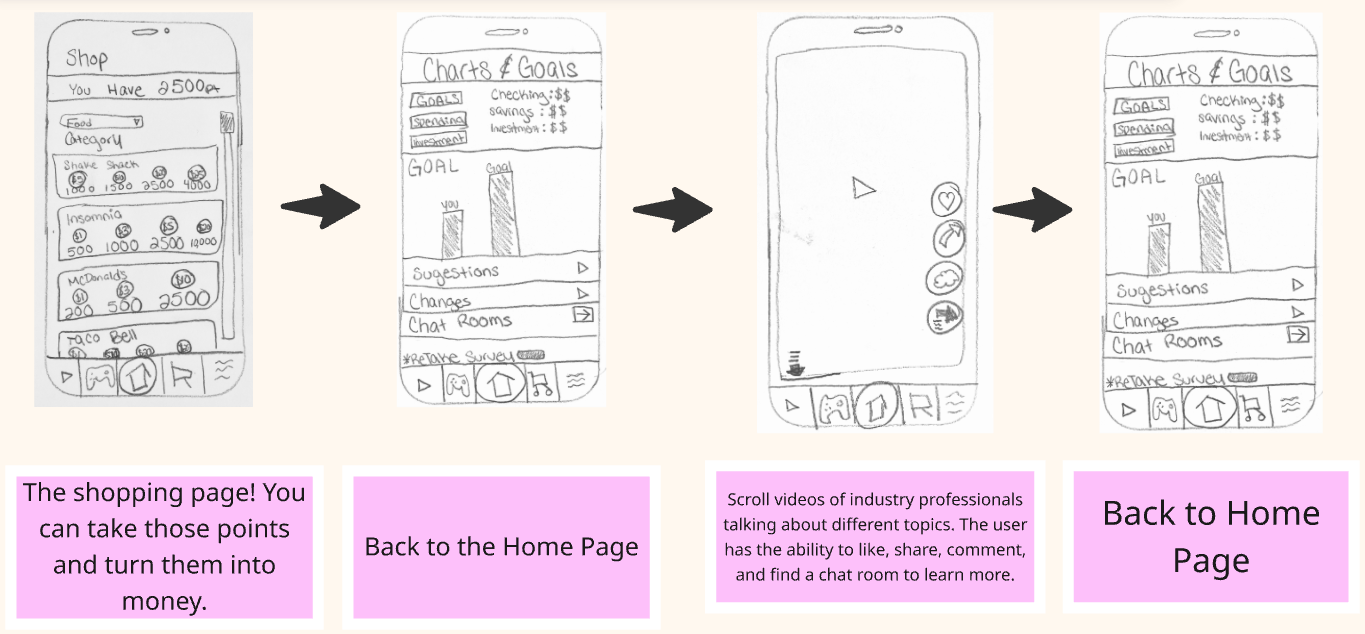
Our next priority was the user flow and storyboard. Using the sketches, we worked on creating a user flow that helped indicated where the user would be able to go in PennyPal. This user flow became the starter of the storyboard created.
Phase 3: Interaction
Phase 3 activities were on Wireframes, Mockups, Interactive
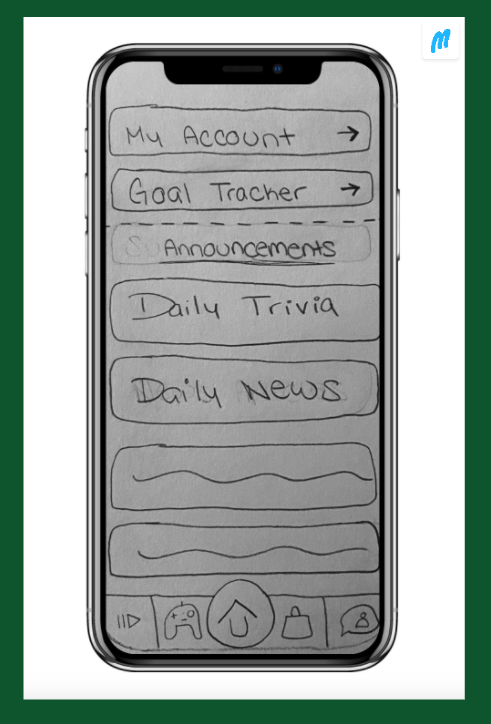
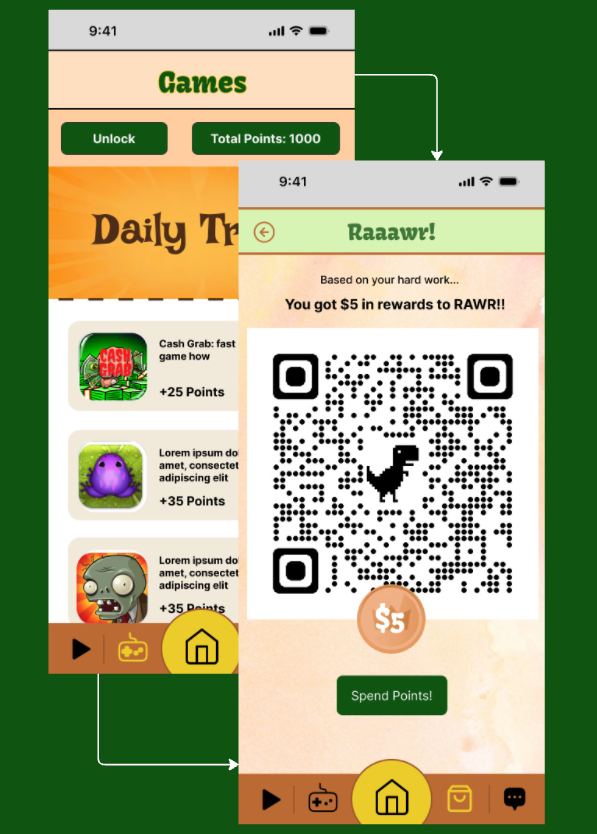
Prototype. The wireframes were used to help create two different prototypes: one low fidelity and one high fidelity. We first started with the low-fidelity, done completely in the Marvel App. Then, the low-fidelity set up for the high fidelity one, using Figma as the main site. Both were helpful in their own. The low fidelity allowed for a better understanding of transitions and where everything would go, while the high fidelity allowed for a more completed product to be visualized.
Phase 4: User Testing
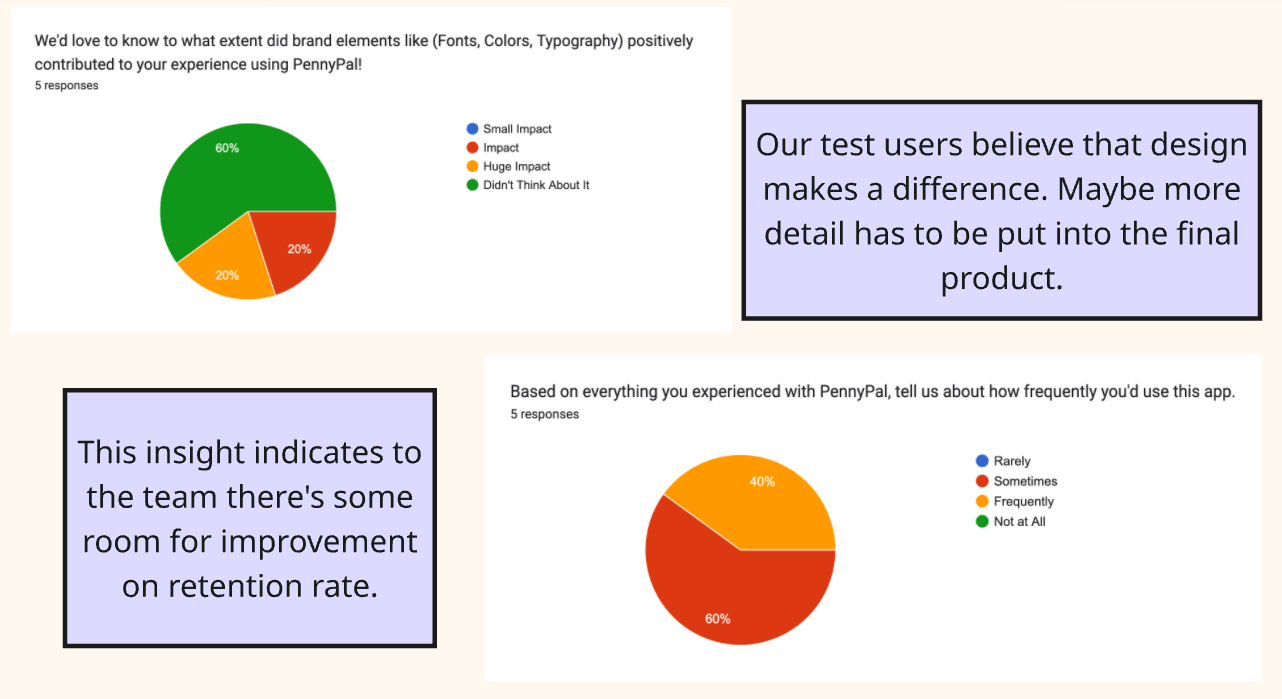
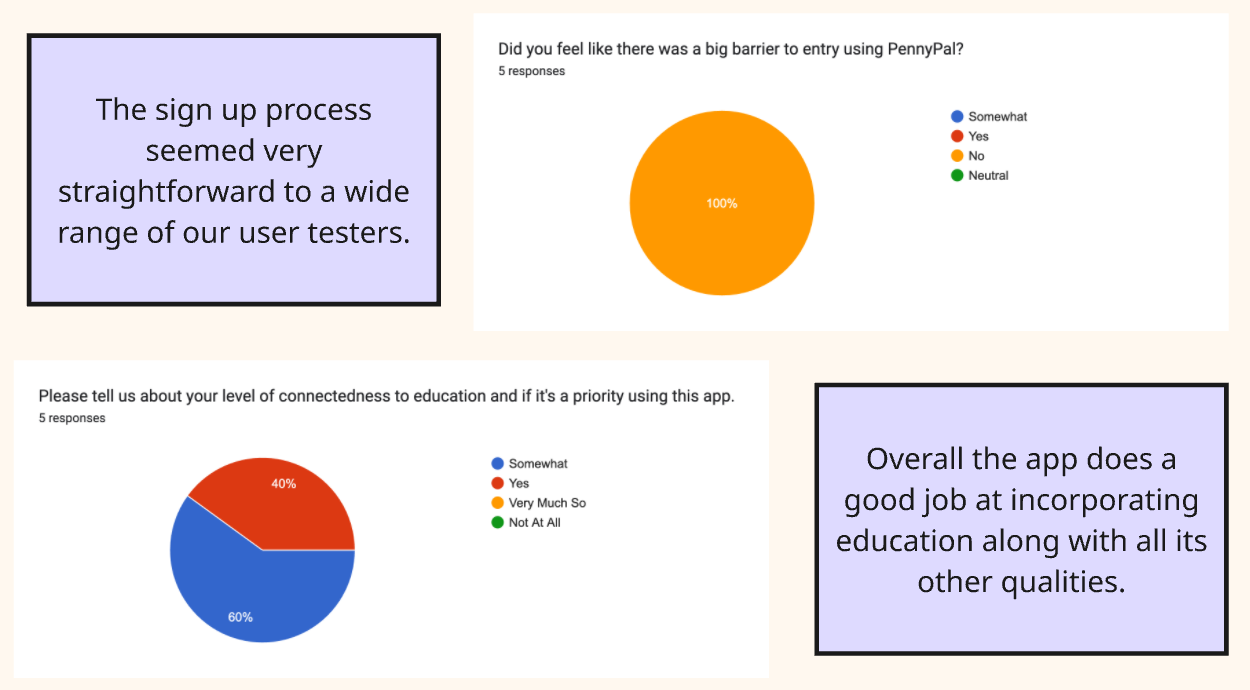
The user testing lasted for almost 2 hours. During these user testing slots, PennyPal came off to be a successful app. Many of the users found that the app was easy to navigate and overall provided content they thought was useful. Many user testers were fond of the games and goal setter system, especially as the games helped bring fun and creativity, and the goal setter could set their own goals on what to learn and could create a healthy system of goals to improve their finances. An interesting insight we found was how expressive the testers were; they seemed genuinely excited about exploring the different app features and what they could do.
Phase 5: Final Product Launch
Finally, after 7 weeks, our product was finally completed fully. User testing gave us the feedback needed and we submitted our final work. It was incredible being able to accomplish so much with a group of people in such a short period. Design-wise, the sprint helps create a system that allows for a limited time but also increased workload within a series of days. And I found it interesting that despite having a week instead of a day per phase, everything still felt like a lot.
I highly recommend that you check out our final analysis on PennyPal. Our team put a lot of time and effort into this and we really appreciate all the feedback and content we got from this experience!
Reflection
Having the opportunity to learn how to apply critical thinking to research, design with empathy, and connect with others through moderation and facilitation are all skills that are the byproducts of completing this app. Our design sprint system created a way that all designers can use. I had a great time doing the sprint and would love to make PennyPal reach more people.
I say this because our goals were completed, and PennyPal was able to provide an experience for its users that was both fun and informative.
Next Steps
For where to head to next, I have a good understanding of what I want to accomplish soon.
Refine core features to better user interface navigation across the PennyPal platform.
Expand into more connective content, like the chat feature, which will help provide users with a welcoming environment and great connections within PennyPal.
Look towards social media and developers that would expand the reach of PennyPal and invite more users to join this community.